THE PLAYBOOK · HBFLCG
Getting started with Minesweeper
Choose a round of Minesweeper and settle into its rules. Open all 71 safe cells. Opening a mine ends the round. Flags help you mark suspected mines but do not replace opening safe cells. Look at what changes after your first action. Treat the first round as a chance to learn the controls. Check the relevant rule before repeating a move.
Practice beyond the first move
Before your first action, say what you are trying to achieve. Then compare the result with the goal. Keep the objective visible.
The objective of a round
Open all 71 safe cells. Opening a mine ends the round. Flags help you mark suspected mines but do not replace opening safe cells. Read that aim before choosing your first action. Take a moment to understand the current position.
Step by step
- Open a covered square to reveal it.
- A number counts mines in the surrounding eight positions.
- Right-click to flag on a computer, or enable Flag mode on a phone.
- Use safe deductions to open the remaining cells.
How to use the controls
Click/tap to open. Right-click to flag, or use the Flag mode toggle for touch devices. On a smaller screen, keep the active part of the board within view. Contact us with the game and device if a control does not respond.
Try this example
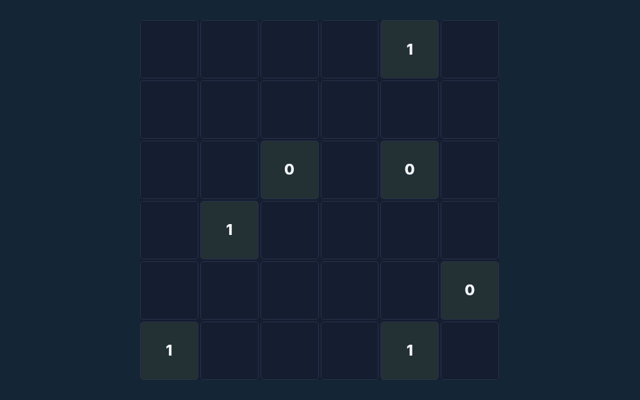
A revealed 1 means exactly one neighbouring square contains a mine. The clue counts diagonal neighbours as well as the squares directly beside it. Compare this with the rule that governs the move. Keep the game’s format in mind.
A mistake to avoid
A flag is your own note, not a confirmation from the game. Remove a mistaken flag before opening that square. Compare the situation with the worked example. When a decision goes wrong, compare it with the common mistake described below. Start again only when you intend to leave the current round.
Clarifying the way this game works
For this browser game, what is the goal of Minesweeper?
Here is the relevant explanation: Open all 71 safe cells. Opening a mine ends the round. Flags help you mark suspected mines but do not replace opening safe cells.
For a quick reminder, how do I control Minesweeper?
Here is the relevant explanation: Click/tap to open. Right-click to flag, or use the Flag mode toggle for touch devices.
On this playing page, what example helps explain Minesweeper?
Here is the relevant explanation: A revealed 1 with only one covered neighbour means that neighbour contains a mine.
What should I watch out for in Minesweeper?
For clarity: A flag is your own note, not a confirmation from the game. Remove a mistaken flag before opening that square.
As a new player, what format does Minesweeper offer?
The key detail is this: Play using the solo mode shown on this page. Read the controls before starting a new round.
For this browser game, which play mode does Minesweeper use?
Here is the relevant explanation: The mode on this page is Solo. Same-device play uses one screen; this game library does not provide internet matchmaking.